Powertek Connect

Your machine, working. Even when no one's watching.

Every Powertek build comes with Powertek Connect — the telematics hardware, the data portal, the mobile app, and the support team in NC who actually reads the data. You don't fly blind on a machine this serious. You see it. We see it. And when something needs attention, you usually hear it from us first.
The two halves of Powertek Connect

Dashboards for you. A support team behind them.

1 — The Connect Portal

What owners and crews see

  • Live machine data — engine temps, hydraulic pressures, RPM, fuel, system performance
  • Your fleet on a map: real-time location, last-known position, hours run
  • Historical performance — productive hours, idle time, alarm history
  • Pushed alerts when a machine reports something out of spec
  • Logins for your crew with owner-set permissions
  • Maintenance tracking — service intervals, hour-based reminders, history per machine
  • Same dashboards on phone, tablet, or laptop

2 — Powertek Support

The brain behind the data

  • Watches the same telemetry feed — the data can help us catch warning signs before they become failures
  • Runs remote diagnostics; issues are often resolved without anyone setting foot on the machine
  • Pre-positions parts when the data says a component is approaching end-of-life
  • Calls you about emerging issues — not the other way around
  • Pushes firmware and control-system updates remotely when warranted
  • Keeps the diagnostic record, so the next conversation starts where the last one ended
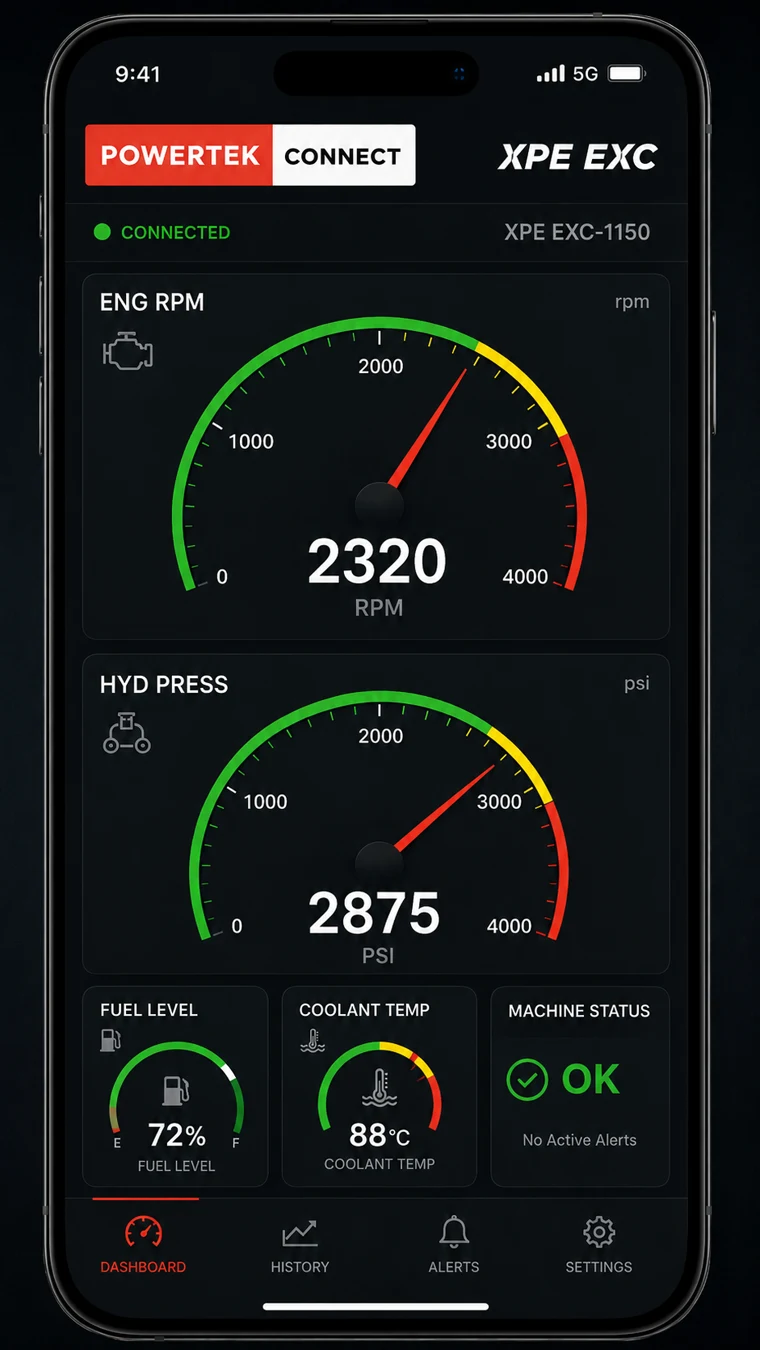
Powertek Connect mobile app on a phone showing live engine RPM, hydraulic pressure, fuel level, coolant temperature, and machine status for an XPE excavator

In your pocket

The whole machine, on your phone

Engine RPM, hydraulic pressure, fuel, coolant, machine status — live from the machine, wherever you are. The same dashboards run on your phone, tablet, or laptop, with logins for your crew and alerts pushed the moment the machine reports something out of spec.

And it's not a screen you're left alone with — the support team in Concord reads the same feed.

Not "just telematics"

The OEM stays involved for the life of the machine

A lot of equipment ships with telematics. Most of it sits unused. Powertek Connect is built around a different idea — the people who built your machine keep watching it run.

Standard telematicsPowertek Connect
Dashboards for the customerDashboards for the customer plus the OEM watching
Reactive — alerts when something failsEarly warning — data can flag problems before they become failures
Customer calls when there's a problemPowertek often calls the customer
Parts ordered after a failureParts identified and staged when the data points to a developing issue
OEM hands over the machine and disappearsPowertek stays in the loop for the life of the unit

This is the operating model the big OEMs talk about and rarely deliver, because it requires the manufacturer to actually staff for it. Powertek is small enough that the team that builds your machine is also the support team watching it run.

Under the hood

Hardware built for forestry duty

  • Telematics unitEmbedded in the Powertek control package on every new build
  • Connectivity4G LTE worldwide, Wi-Fi, Bluetooth, GNSS positioning
  • Coverage drops?Store-and-forward — data caches locally and uploads when signal returns
  • HousingIP67 — sealed against dust and water immersion
  • UpdatesBi-directional: remote configuration and firmware push
  • InstallSingle-plug integration — you never see the hardware

Distance stops mattering

Running 300 miles from Concord? With Powertek Connect it doesn't matter. We're watching the same data you are. When the machine needs attention, we're often on it early — resolving it remotely or shipping the right part before a failure puts you down.

Powertek Connect is standard on every new build and every new control package — including Shinn unit retrofits.

Connect on a Shinn Retrofit

Talk to us about Connect on your operation

704-788-9054 Contact Powertek